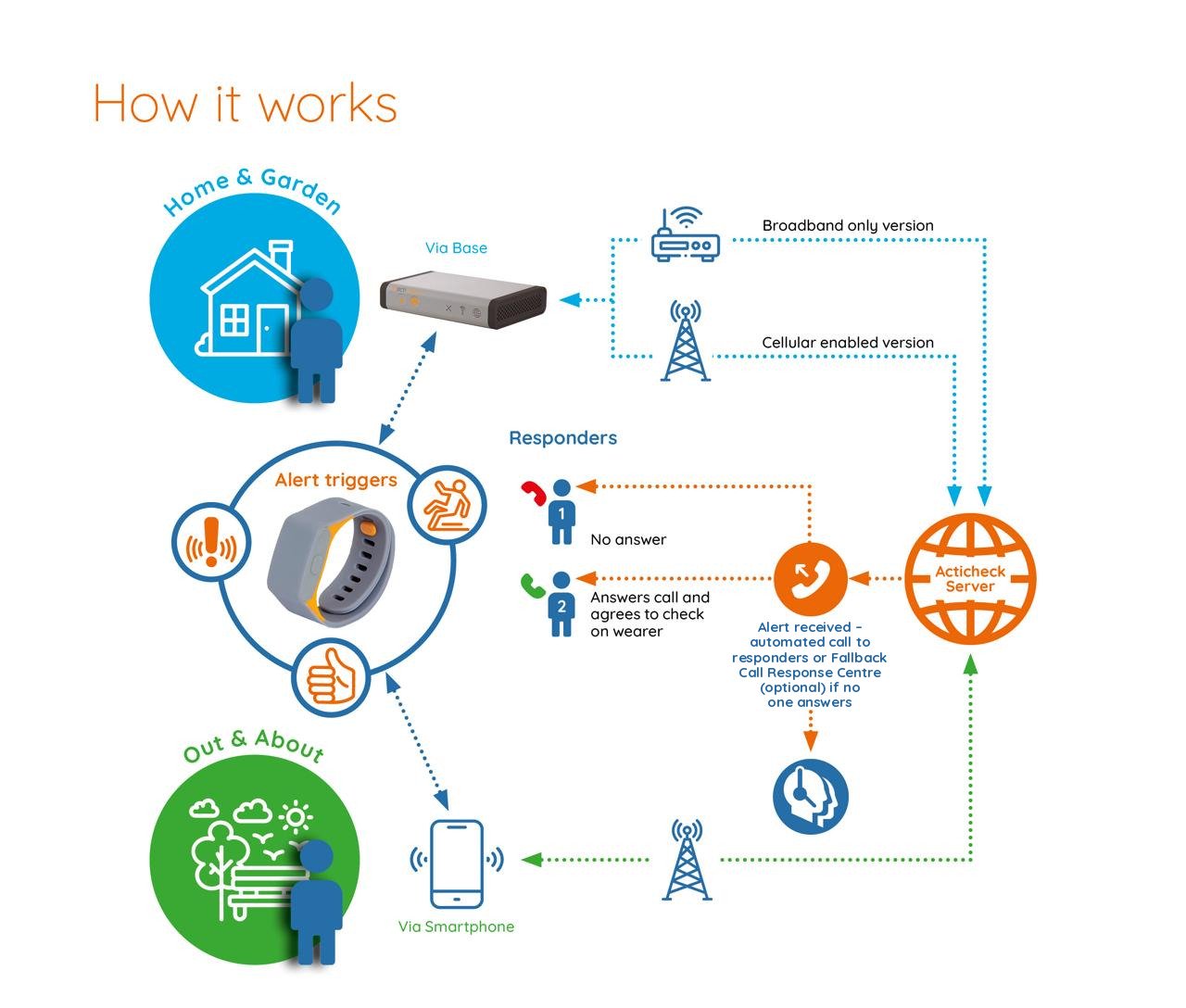
How it works
Acticheck’s personal alarm system connects three groups of people: wearers, who use the wristband day to day; responders (family, friends, or neighbours), who are called when an alert is raised; and administrators, who manage settings and can view activity through the online dashboard. Here’s how each role works.
Designed for uninterrupted protection and ease of use
For wearers – put it on and leave it on
Being waterproof and with a one-year battery life, there is no reason to take your life-saving wristband off, ensuring you will always have it when you need it.
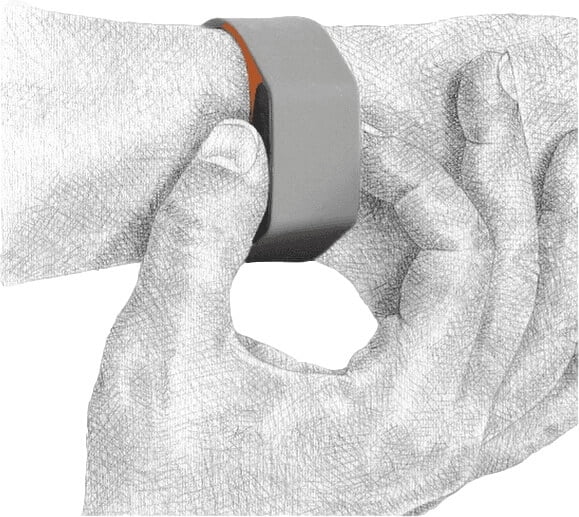
If you want help – squeeze the buttons
Though the wristband has other alert triggers, this is the one to use if you get short of breath or have a sudden pain which means it would be difficult to use a phone.
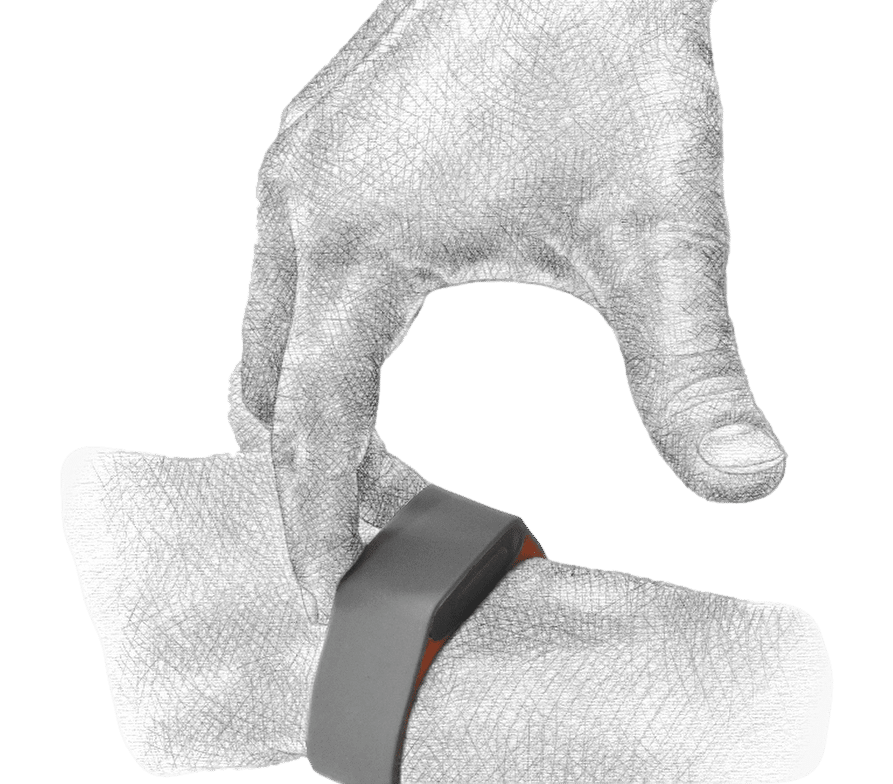
If the wristband vibrates and you’re OK, press a button
A single button press tells us you don’t need help. Alternatively, wait for the phone call and follow the instructions. Either way, the alert stops there and no call for help is made.
Listen to a pre-alert check call:
Transcript
Acticheck: This is a call from Acticheck. There has been a call for help. We need to confirm you are OK, otherwise we will call your responders to ask for help. Say “cancel” or press 1 on your telephone keypad to confirm you do not need help.
Wearer: Cancel.
Acticheck: Thank you for confirming you are OK. Goodbye.
This is an optional step and can be skipped if the wearer has difficulty interacting with phone calls (for example, if they are deaf).
For responders
As part of the setting up process you will receive an automated verification call, which you need to take and confirm you are happy to be a responder.
Hopefully that is all you will ever need to do, but if you do get an alert call, just answer it and follow the simple instructions. If you can assist, you will then hear information which is stored to help you. We will also send the information to your mobile number and/or email. If you are not able to assist don’t take the call or hang up and the next responder will be called.
If you are worried about there being a time when no-one could respond, you might want to subscribe to our Fallback Call Response Service. They will call the wearer and responders and, if they are not confident matters are in hand, will call an ambulance.

Listen to an example call to a responder:
Transcript
Acticheck: Hello, this is an alert call from Acticheck for [wearer’s name] in [town]. There has been a call for help. If you are able to assist, press 1 on your telephone keypad or say “yes”. Otherwise, hang up and we will call the next responder.
Responder: Yes.
Acticheck: Thank you. [Wearer’s name] has provided the following information in the event of an alert. [Wearer’s name] is at [home address]. Their home telephone number is [phone number]…
Wearer details are replaced with placeholders. In a real call, you hear the information the wearer has chosen to store.
For administrators
Some responders can also be given admin permission, which means they can set-up the system and make changes such as adding new responders or changing the timing of I’m OK checks.
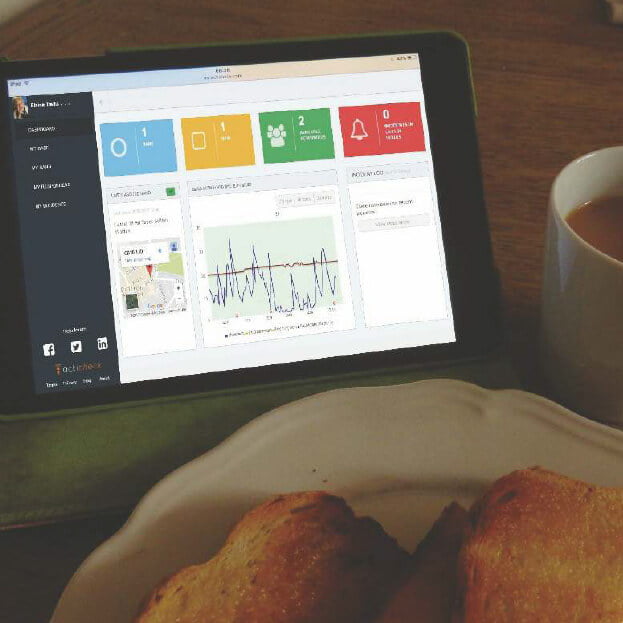
All alerts and critical messages are delivered by phone or email (depending on the urgency), but many find the activity charts useful as you can see if the wearer is staying active, getting out and sleeping well.
This is an example of the main dashboard showing some useful features:
Simple dashboard for easy management of your system.
A map shows when and where the band last reported in, whether at home or out & about.
Activity chart showing when the person is out, how they are sleeping and general activity levels.
Recent events/alerts, who responded (with a link to email them, if needed).
And here is a diagram of how we connect people